


Requirements to be Eligible for a BobcatCard
Freshmen who have completed at least the first module of New Student Orientation.
Transfer students who have completed an online or on-campus orientation.
Any student who has made payment for a current or future semester.
Employees with an active appointment in SAP.
What You Will Need To Obtain Your BobcatCard
A valid government issued photo identification card is required to obtain your BobcatCard (ID card). You will not receive your BobcatCard without a valid government issued photo ID. Please submit either a US Driver's License issued by DMV, ID Card issued by DMV, a Passport, or a US Military ID card. Must not be expired.
The Government ID submitted must match exactly the legal name with Texas State, otherwise it will be DENIED.
Things to look for:
- Check the spellings. Example: Mcdonald versus McDonald
- No shortened first name. Example: Chris versus Christopher
- Full last name(s) are listed
- Missing characters. Example: O'Neil versus O Neil
The only exception will be a middle name not spelled out or completely left out. Example: Jane Ann Doe, Jane A Doe or Jane Doe would all be accepted.
If it does not match, please complete a Personal Information Update Form provided by the Registrar's Office or call them at 512-245-2367 to get the name corrected, prior to submitting any photos and documents.
BobcatCard Photo Upload
How to Submit Your Photo Online with GET
- Login to the https://get.cbord.com/txstate/full/prelogin.php application.
- Use your Net ID and password.
- Click Upload ID Photo
- Click Choose File and select your saved photo
- Click Upload
- When finished, close your browser
- You will receive the message below:
Hello, Your pending photo ID has been accepted. Regards, Texas State University -- If you are not (your name), or believe you have received this message in error, please contact idservices@txstate.edu as soon as possible.
Adjusting Photos: If your photo is sideways or another error occurs, you will need to rotate and/or resize the photo in a photo editing program. ID Services staff will review and adjust the image if it meets the requirements.
Background requirements: The GET Photo Upload uses a tool that automatically creates a clean, uniform white background. For best results, take your photo in front of a smooth, solid-colored wall. Avoid textured surfaces such as brick, patterned paint, or uneven finishes, as these can cause pixelation or distortion in the final image.
Submitting Documents
Submit government documents and photos ONLY through the BobcatCard Photo Upload portal! DO NOT SEND THROUGH EMAIL. Legal documents will be deleted immediately upon approval or denial in BobcatCard Photo Upload.
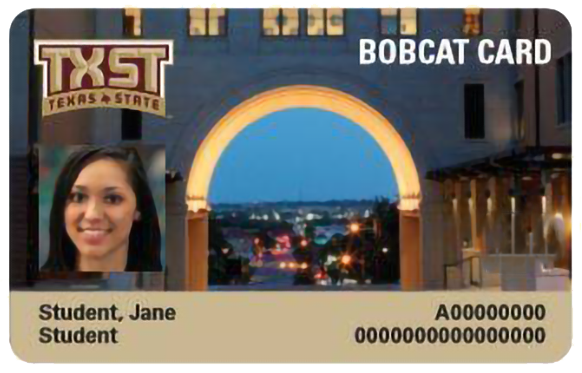
- The Online Photo Submission is for a FIRST ID only.
- You will need to contact ID Services Office for replacement of an ID card.
- All currently accepted Texas State students and new Faculty and Staff can get their FIRST BobcatCard through the online portal.
Important Information
On-Campus Students
If you live on campus or have a meal plan, please visit our office for your BobcatCard. Photo upload can delay processing.
Off-Campus Students
Off-campus students are encouraged to use the BobcatCard photo upload for your first ID. Allow 5 business days for approval and pickup email.